Features

Everything the meeting needs, in one app

raceGENIE runs on your Mac at the track and works without a connection. These are the main parts of it. The screens below are from the app with our own team's data; driver names are replaced.

Meetings

Start with what you know

A meeting can begin as a date and a circuit. Add the details as the weekend gets closer, and raceGENIE keeps track of what is done and what is still to do.

  • Dates, circuit and timetable; import the timetable from the event's documents
  • Sessions: test, practice, qualifying and races, including double headers
  • Cars, drivers and everyone who is coming, with arrival and departure
  • Deadlines such as the order of drivers for the Secretary of the Meeting
  • Tasks, appointments and equipment for the weekend
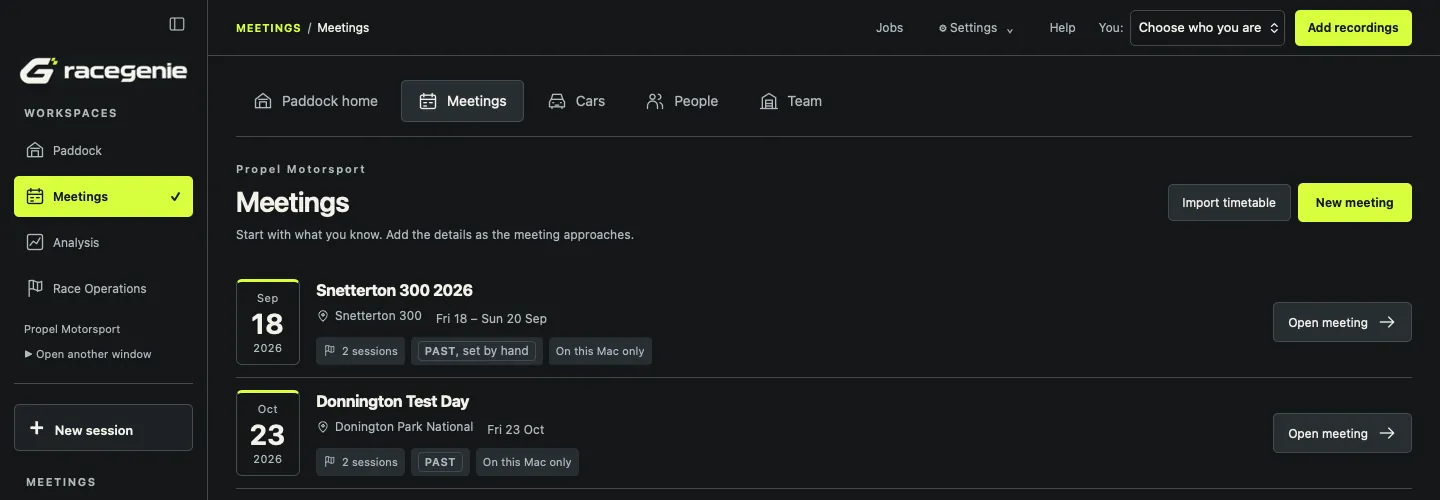
The Meetings page in raceGENIE listing two meetings, Snetterton 300 and a Donington Park test day, each with its dates, circuit, sessions and status.
All meetings, past and planned.

Race plans

Stints, stops, crew and seat time

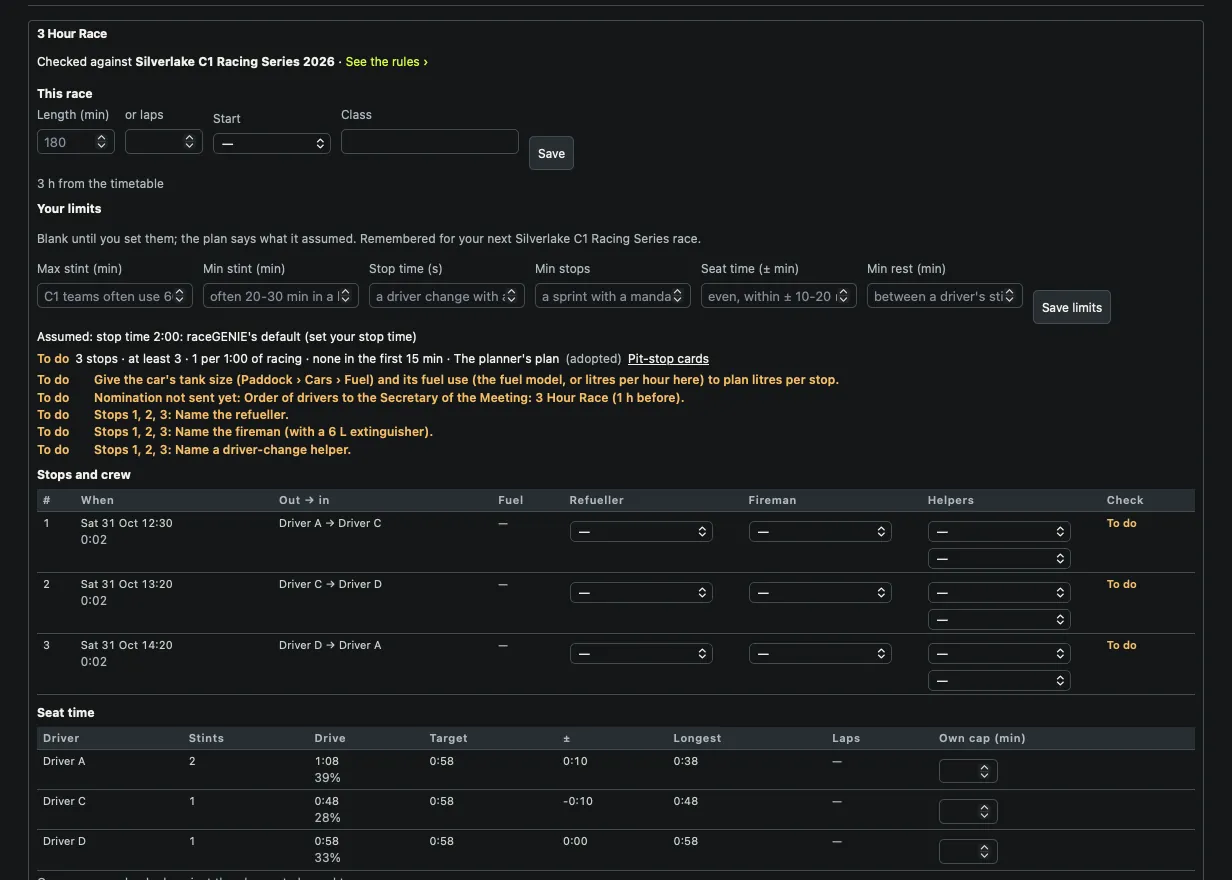
Give the race its length and your limits. raceGENIE plans the stints and stops, shares the seat time between drivers and checks the plan against the series' rules.

  • Maximum and minimum stint, stop time, minimum stops and rest between stints
  • Seat time per driver against the target, with each driver's own cap
  • Each stop: when, who gets out and in, fuel, refueller, fireman and helpers
  • A clear to-do list: what the plan still needs before the race
  • Pit-stop cards, driver change forms and the start-driver nomination
A race plan in raceGENIE for a three-hour race: the race length, the team's limits, a list of things still to do, three stops with times and driver changes, crew choices for each stop, and seat time per driver.
A three-hour race planned and checked against the series' rules.

Race operations

Race day, read at a glance

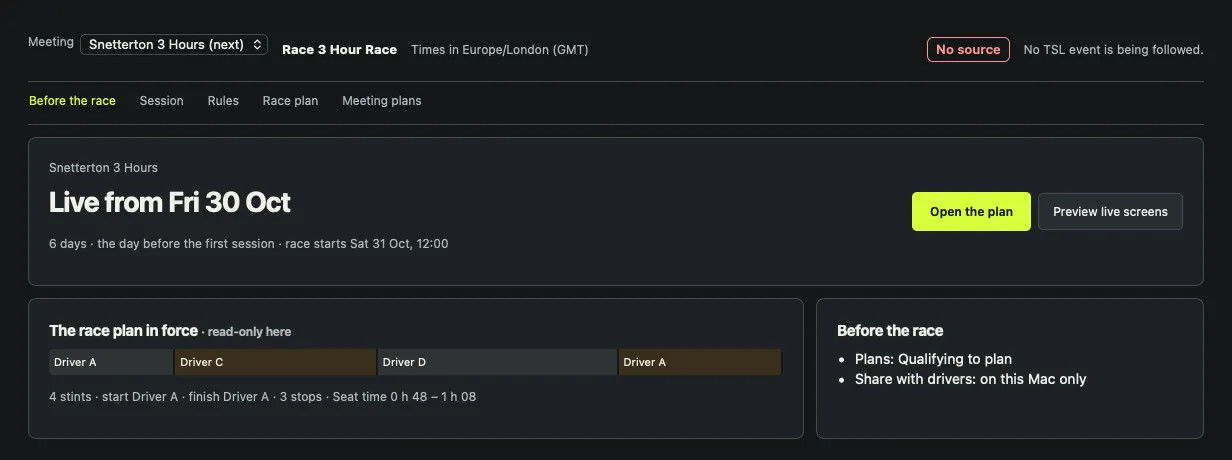
Race Operations follows the meeting from the day before to the chequered flag. Before the race it shows the plan in force; during the race it brings the timing and your own records together.

  • Live timing from TSL: the tower, gaps from official crossing times and flags
  • Your stints and the pit log beside the timing, each with its source and age
  • Qualifying laps per driver and what sets the grid
  • A preview of the live screens before the meeting, to rehearse
Race Operations in raceGENIE before a three-hour race: when the meeting goes live, the race plan in force as a bar of four stints, and what is still to do before the race.
Before the race: the plan in force and what is left to do.

Fuel

Know what is in the tank

Fuel is planned with the race and logged at the track.

  • Fuel use per hour, the margin per fill and fuel at the start, in the race plan
  • Litres per stop worked out from the car's tank size and fuel use
  • A fuel log per car for test days: fills, top-ups and drains, each one kept

Built from the paddock

The fuel log came from our own test days: drain the tank, measure it, and log every fill and top-up, so you know what the car really used.

Analysis

Video and data, lap by lap

Import the VBOX data and onboard video from a session and raceGENIE finds the laps, matches the cameras and keeps the original recordings untouched.

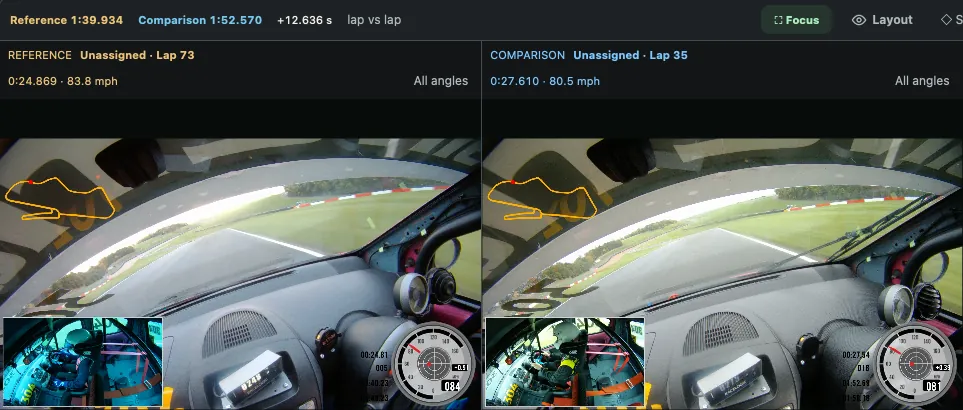
  • Compare: two laps side by side, video lined up at the same point on track
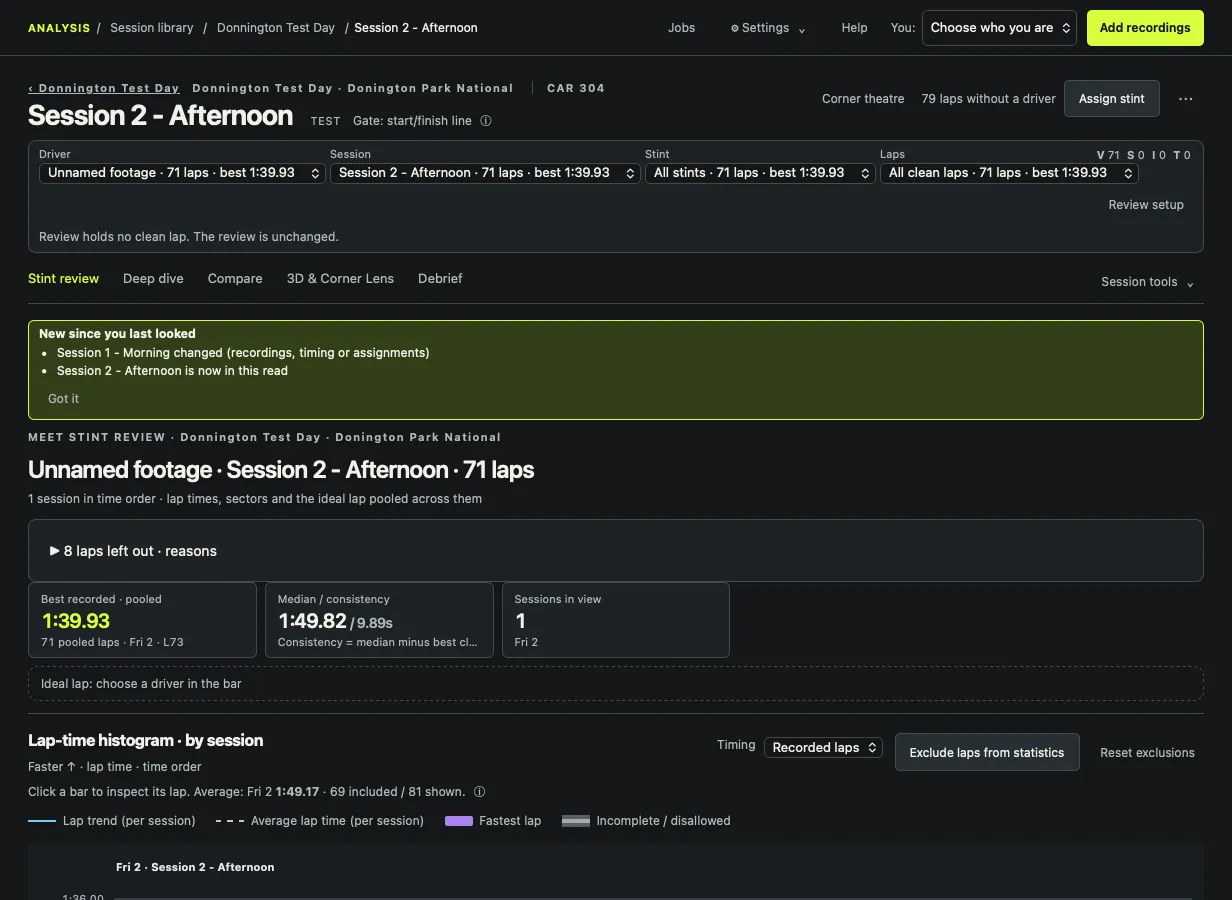
  • Stint review: every lap of the stint, best and median pace, a lap-time histogram
  • Deep dive: where time is lost, for the driver, team manager or engineer
  • Debrief: the findings to take into the next session
  • 3D views: a virtual drone and Corner Lens replay the laps on the circuit
Lap comparison in raceGENIE: two onboard videos from the same car side by side at the same point on track, each with its lap time, speed and a small circuit map.
Compare: two laps from a Donington Park test day.

Stint review

The whole stint in view

Every known lap, by session, with the recorded evidence beside it. Official timing and your own recordings stay separate, so you always know where a lap time came from.

Stint review in raceGENIE for a test session at Donington Park: 71 clean laps, best and median lap time, consistency, and a lap-time histogram.
Stint review with the best recorded lap, median pace and the lap-time histogram.

GenieCloud

The team, on the same page

GenieCloud connects your team's Macs and gives everyone else a way in.

  • Sync between the team's Macs, with backup of your recordings
  • The team site at cloud.racegenie.app: meetings, plans and the team's members
  • Your drivers in myRaceGENIE, seeing what the team shares with them
  • Each team's data kept to that team

What you need

Mac A Mac with Apple silicon, macOS 14 or later
Data VBOX data and onboard video from the car
Timing TSL live timing and timing documents
Drivers myRaceGENIE on iPhone or the web

See it with your own data

We'll take you through raceGENIE with a session of yours.

Get in touch